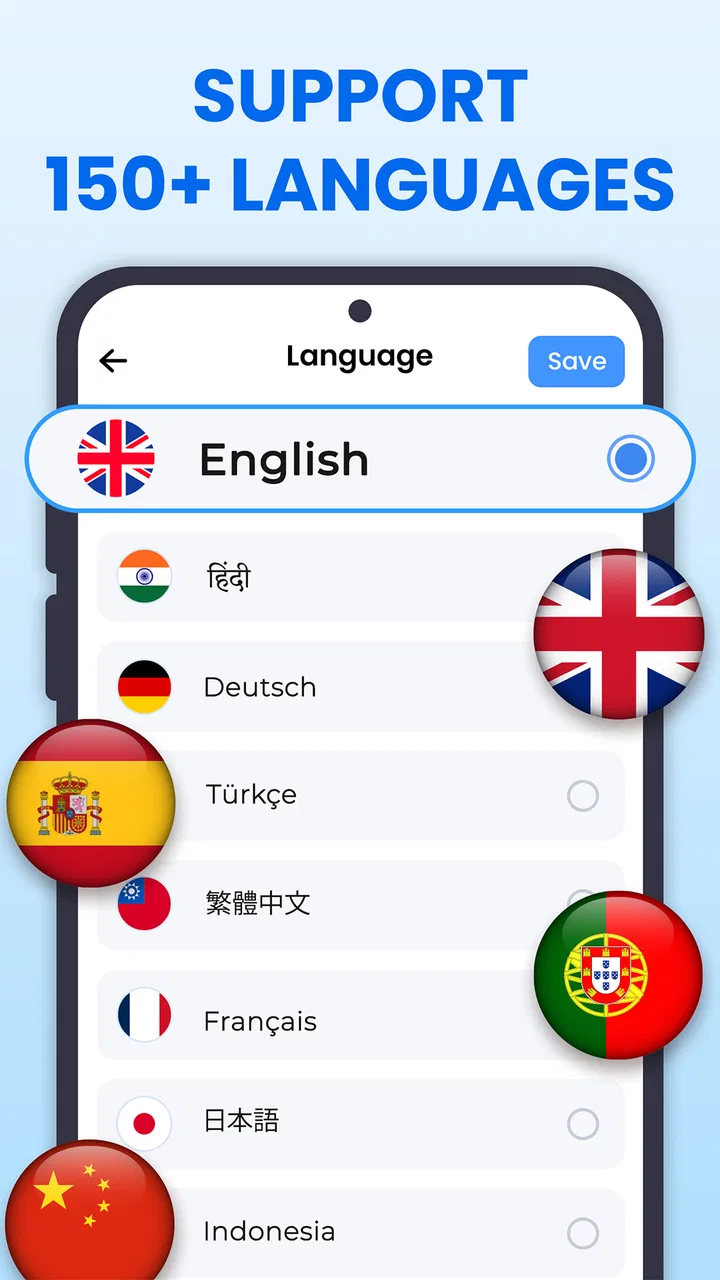
All Translate: Photo, PDF, DOC
- 4.6
- Rating
- 1.00M
- Installs
- Free
- Price

 Analysis by App-foxy
When a translation app is used by more than one person at home, the important question is not simply whether it can translate a sentence. I look for something that can handle the messy material people actually receive: a photographed notice, a long PDF, a document from school or work, a voice message, or text visible on a phone screen. All Translate: Photo, PDF, DOC is built around that wider need. It is a free productivity app from Daily Tool Labs that brings several translation routes into one place, rather than making me switch between separate tools for camera text, spoken words, and files.
I found the broad approach useful because household translation rarely follows a neat pattern. One person may need to understand a document, another may want to check a message, and someone else may be standing in front of a sign with only a camera available. The app supports photo, PDF, DOC, camera, voice, text, and screen translation, with the aim of moving content into another language in the format that is most convenient at that moment. That makes it more practical than an app focused only on typing.
How it fits a shared household routine
A realistic example is a family receiving a document in an unfamiliar language. One person can photograph a page when the file is not available, while another can work from the original PDF or DOC file if it has already been downloaded. Later, a voice translation may help someone ask a quick question, and screen translation can be useful when the information appears inside another app. The value is not that every method is equally necessary every day; it is that the household has several entry points when the situation changes.
You May Also Like

 Blood Strike: 2.5 Anniversary
Blood Strike’s Loadouts Turn Every Drop Into a Tactical Gamble
A close look at Blood Strike’s custom loadouts: how fast access to signature weapons reshapes its battle royale rhythm, rewards preparation, and narrows the gap between fights.

 Pandora - Music & Podcasts
Pandora’s Music Is Easy to Start, but Harder to Recover
Pandora’s strength is its low-effort path from a seed to a station. Its weak spot is how much confidence it asks you to place in connection, setup, and quiet recovery.

 8 Ball Pool
 Is Built on Rivalries, Rematches, and Routine
A close look at the rivalries, rematches, shared routines, and unanswered safety questions that turn a quick pool match into a persistent mobile community.

 Samsung Music
’s Quiet Strength Is Playing What You Already Own
Its reach comes less from spectacle than from dependable access to a personal library. That simplicity is both the app’s strongest retention engine and its ceiling.

 AccuWeather: Weather Radar
AccuWeather Review: A Quick, Clear Forecast for Everyday Decisions
For everyday plans, the best forecast is the one you can understand quickly. AccuWeather makes rain timing, radar, and local conditions easy to act on, with a few trade-offs.

 Hill Climb Racing
Why Hill Climb Racing Still Turns Crashes Into One More Run
A tiny car, a bumpy hill and one more upgrade: Hill Climb Racing keeps resurfacing because its simple chaos makes every near-miss feel personal.
More From Our News Desk



I would especially consider it for homes where adults and older children occasionally deal with different languages. It can help with travel preparation, school communications, instructions, menus, forms, and everyday messages. The app’s Everyone content rating also makes it easier to consider in a shared-device setting, although that should not be confused with dedicated child supervision or family-management tools. It is a translation utility, not a household account-management system.
The strongest use case is quick understanding rather than polished professional localization. If I need to grasp what a notice says before deciding what to do, a multi-format translator is convenient. If I am preparing a legal, medical, immigration, or business document where every nuance matters, I would treat the result as a first reading and verify important wording with a qualified person or a trusted human translator. Translation convenience and translation authority are not the same thing.
Starting with the right input
The first practical lesson is to choose the input that preserves the most information. If I have the original PDF or DOC file, I would start there instead of photographing a screen. A file is usually easier to work with than a tilted image, and a clean source should reduce avoidable recognition problems. I would use the camera option for paper, labels, signs, or anything that is not already stored digitally.
For a photograph, lighting and framing matter more than many people expect. I would place the page flat, avoid glare, capture the full text, and keep the phone steady. A rushed picture can create a translation problem that looks like a language problem but is really an image-recognition problem. Cropped lines, decorative fonts, handwriting, and low contrast deserve extra caution. This is one of the app’s less obvious trade-offs: the convenience of camera translation depends heavily on the quality of what the camera sees.
Voice translation is better suited to short exchanges than to long explanations. I would speak in complete, simple phrases and pause between ideas, especially in a noisy room. For a household, that makes it useful when someone needs to understand a quick request or relay a basic message without typing. It is less attractive when several people are talking at once or when a sentence depends on subtle tone, regional expressions, or technical vocabulary.
Screen translation can be handy when copying text is awkward. For example, a person may encounter a message, webpage, or interface that does not offer an obvious selection option. Instead of recreating the text manually, the screen-focused route can provide a faster way to work from what is visible. I would still check the original screen afterward, because buttons, names, numbers, and short labels can be more sensitive to context than a full paragraph.
Keeping shared use simple without blurring responsibilities
On a shared phone or tablet, I would agree on a basic routine before handing the device around. The person who starts a translation should identify whether the source is a photo, a file, voice, typed text, or screen content. That small habit helps the next user understand what was done and prevents someone from assuming that a photographed page and an original document were handled in exactly the same way.
I would also avoid treating the app as a permanent household archive unless its own interface clearly provides the organization a family needs. Translation sessions can contain personal messages, school material, travel details, or work documents. A shared device creates a boundary question: who can see what was recently translated, and who is responsible for removing sensitive material afterward? The safest approach is to review the app after use and avoid leaving private content open for the next person.
This matters more than having everyone use identical settings. A parent translating a school notice, a teenager checking a game-related message, and a guest translating a menu may have completely different expectations about privacy and accuracy. The app can serve all of them as a tool, but it does not replace a clear agreement about which documents should stay private and when the device should be handed back.
For families with separate phones, I would treat each installation as an individual workspace rather than assuming that one person’s activity should automatically be available to everyone else. That is a useful boundary even when the app is free. If the household decides to use paid functionality, the person managing purchases should also be clear about which device and account are being used. In-app purchases range from $4.99 to $99.99 per item, so “free to install” does not mean every possible capability is necessarily without cost.
What the app does well for coordination
The app’s multi-format design reduces the number of decisions a household has to make in the moment. Instead of asking, “Which separate tool handles this kind of content?” I can begin with the material in front of me and choose the matching route. That is a meaningful advantage over relying only on a standard text translator, particularly when the source arrives as a file or image.
I also like the possibility of dividing tasks naturally. One person can locate the original document, another can photograph a physical page, and a third can listen to or repeat a short voice translation. This is not a formal collaboration feature, and I would not describe it as one. The benefit comes from having several practical modes available on a device that people already share.
A useful coordination habit is to keep the original beside the translated result whenever the subject is important. With a PDF or DOC file, I would compare headings, names, dates, quantities, and instructions rather than reading only the translated version. With a camera capture, I would check that no line was missed at the edge. With voice, I would repeat the key point in simpler words. These steps take little time and protect against the kind of small misunderstanding that can cause a large household problem.
Another non-obvious use is preparing a short explanation for someone who was not present during the original translation. Instead of passing around a long file without context, I would first identify the purpose of the document, then translate the relevant section. This keeps the conversation focused and avoids making a family member interpret an entire document when only one paragraph affects them. The app’s flexibility is most useful when paired with that kind of selective workflow.
Age, trust, and sensible supervision
Because the app is rated for Everyone, it is a reasonable candidate for general household access. Still, age suitability is only one part of trust. A younger user may be able to operate a camera or text translator but may not recognize when a translation is uncertain, when a message is manipulative, or when a document contains sensitive information. I would teach children to ask an adult before acting on medical, financial, school, or official instructions.
I would also explain that a translation can sound confident while missing context. This is particularly important with voice input, where pronunciation, background noise, and incomplete sentences can change the result. A child using the app to understand a simple label is one situation; a child using it to respond to an unknown adult or interpret a serious notice is another. The app can support understanding, but the adult still needs to provide judgment.
Trust also applies to the person who owns the device. If a family member translates a private conversation or work document, other users should not casually browse through the result. Since the app handles several kinds of content, it may be used for more sensitive material than a basic phrasebook. I would make the household rule explicit: translation access does not automatically grant permission to inspect someone else’s messages or files.
For older relatives, the broad input choices may be more approachable than typing everything. A camera can feel simpler than copying text, while voice can help when keyboard entry is tiring. I would set up the phone with the person and practice one workflow at a time rather than presenting every option at once. The app’s range is helpful, but too many choices can make a first session feel busier than expected.
Performance expectations and everyday friction
The app has a strong public reception, with a 4.6 average from around 8.9 thousand ratings, and it has passed the half-million-install mark. Those figures suggest that the general idea is resonating with many users. I would still judge it by the particular material I need to translate, because broad popularity does not guarantee identical results for every language, document layout, accent, or screen design.
Its current version is 1.0.82, and it runs on Android 8.0 or later. That makes compatibility worth checking before installing it on an older household phone. A family may have a newer primary device and an older spare, and assuming both can run the app can lead to an unnecessary setup problem. The operating-system requirement is modest by current standards, but it still matters in a shared-device arrangement.
The main friction is the difference between convenience and certainty. A long multi-page document may be easier to process through the file route, but I would not skim the output blindly when the document contains obligations or precise instructions. A camera translation may be fast, but it is vulnerable to shadows and layout. A voice translation may help in a conversation, but it is not ideal for overlapping speech. Screen translation may save copying time, but short interface labels can lack the context needed for a perfect interpretation.
There is also a cost boundary to consider. The app is free, which makes trying it low-risk, but optional purchases can reach $99.99 per item. I would not authorize a purchase simply because a household member encounters a locked or limited action. First, I would decide whether that function is genuinely needed, whether the material can be handled through another available mode, and whether a conventional translation service would be better for a one-off important document.
When another option makes more sense
I would choose a simpler text translator when my needs are limited to short typed phrases and I want the least complicated interface possible. A dedicated document workflow may be preferable for someone who regularly handles professional files and needs structured review, terminology management, or careful formatting. A human translator remains the better choice for high-stakes content, even if this app is useful for understanding the general subject first.
I would also skip this app as a primary solution if the household expects a full collaboration system. It is useful for passing a device between people, but that is different from shared projects, role-based access, family dashboards, or formal document approval. Nothing about a multi-input translator should be mistaken for those systems. Its strength is immediate language assistance, not managing a family’s digital responsibilities.
For travelers, the camera and voice options make more sense than carrying separate tools for every situation. For students, the app can help decode a page or message, but it should not become a substitute for learning vocabulary or checking a teacher’s intended meaning. For multilingual households, it can reduce small daily barriers, provided everyone understands that the translated output is a starting point when accuracy carries consequences.
My household verdict
After looking at it as a shared-use productivity tool, I see All Translate: Photo, PDF, DOC as most valuable for households that regularly move between formats. Its advantage is not one spectacular translation mode; it is the ability to meet a photo, file, voice clip, typed passage, or visible screen where it already exists. That reduces friction when people are busy and the source material is not prepared in advance.
I would recommend installing it on a shared device when the family can agree on sensible privacy habits and when most translations are for everyday understanding. I would begin with a clean document workflow, use camera translation for physical pages, reserve voice for short exchanges, and keep the original visible for anything important. Those choices make the app more dependable than simply pressing the first available button.
The free entry point is appealing, and the Everyone rating supports broad household use. At the same time, I would watch the purchase screen carefully, keep sensitive translations from being left open, and avoid presenting an automated result as an official interpretation. The app is best when it saves time without asking me to surrender judgment.
Daily Tool Labs has made a practical all-in-one translator for the awkward moments that ordinary text tools do not cover. If your home receives multilingual documents, images, messages, or spoken requests, I think it is worth trying. If you need formal document accuracy, deep family controls, or a tightly managed professional translation process, I would choose a more specialized option instead. For everyday coordination, though, its real strength is flexible access to translation without forcing every person to start from typed text.
FAQs for All Translate: Photo, PDF, DOC
01What is All Translate: Photo, PDF, DOC?
All Translate: Photo, PDF, DOC is a versatile translation app designed for Android and iOS devices. It allows users to translate text from images, PDFs, and DOC files into multiple languages. Whether you're traveling or working on international documents, this app aims to make communication seamless and efficient.
02How accurate are the translations in All Translate?
The app uses advanced AI-driven translation technology to provide high accuracy in its translations. However, like any translation tool, it may not always capture the nuances of every language perfectly. It's ideal for general use but may require manual adjustments for highly complex or technical documents.
03Can All Translate handle multiple file formats?
Yes, All Translate supports a variety of file formats, including images, PDFs, and DOCs. This makes it incredibly versatile for users who need to translate different types of documents. Simply upload the file format you need, and the app will process and translate the content accordingly.
04Is All Translate user-friendly for beginners?
Absolutely. The app is designed with a user-friendly interface that makes it easy for beginners to navigate. With simple upload options and clear instructions, users can quickly translate documents without needing extensive technical knowledge. It's designed to be intuitive and accessible for all users.
05Are there any subscription fees or in-app purchases?
All Translate offers a free version with basic features, but for more advanced functionalities, there are in-app purchases or subscription options available. These may include additional language packs or enhanced translation speed. Users can choose a plan that best fits their translation needs and budget.
Pros
- Supports multiple file formats seamlessly.
- Fast and accurate translation results.
- User-friendly interface for easy navigation.
- Offline mode available for convenience.
- Supports over 100 languages.
Cons
- Free version has limited features.
- Occasional ads can be disruptive.
- Requires internet for best accuracy.
- Some languages have translation errors.
- Premium version can be pricey.

All Translate: Photo, PDF, DOC
Gallery